
The complete guide · Local Services Ads
Google Local Services Ads in the UK: the complete guide for heating firms
By Gal Gazit Published Updated 14 min read

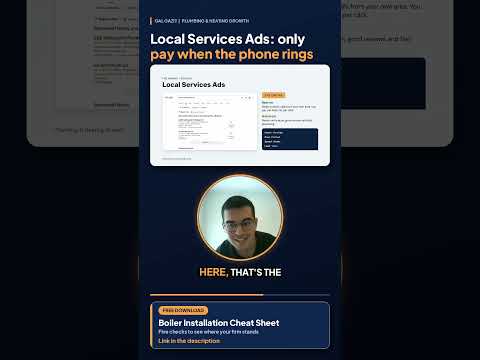
Google Local Services Ads are adverts that put a verified local firm at the top of Google Search and Google Maps, with its reviews and a Google Verified badge, and you pay when a homeowner calls or messages you rather than when someone clicks. For a UK heating firm that wants boiler installations, I think they are the fastest way to get the phone ringing with homeowners who are ready to talk, as long as the account is set up around the work you want and you answer the phone. This guide covers what I wish every firm owner knew before starting, based on what Google says on its own help pages.
If you want the wider picture of how boiler installation enquiries come from Google, start with my complete guide to boiler installation enquiries from Google, then come back here for the detail on Local Services Ads.
What are Google Local Services Ads?
Local Services Ads are a separate ad format for local service businesses. Google lists plumbers among its UK categories, alongside a heating category. Rather than writing adverts and choosing keywords, you build a profile, and Google shows it to people searching for the services you offer in the areas you cover.
According to Google’s own overview, your ad can show your business name, phone number, town, reviews and average star rating, opening hours, the Google Verified badge, photos and a short business bio. A homeowner can call you straight from the ad or send you a message, and Google emails you when a customer gets in touch. Calls come through a Google forwarding number that passes them to your business phone.
Where do Local Services Ads appear?
Google says the ads appear on Google Search and Google Maps. In my book, The Local Lead Machine, I describe the results page as a set of zones, and Local Services Ads sit in the first one, above the ordinary adverts and the map pack. For a homeowner who needs a new boiler, that is where the comparing starts.
Google Guaranteed, Google Screened and Google Verified: what changed
If you have heard of Local Services Ads before, you probably heard about the green Google Guaranteed badge, and that badge no longer exists. Google announced in August 2025 that it would replace its separate badges with one, and from 20 October 2025 the Google Guaranteed, Google Screened and Licence Verified by Google badges became a single Google Verified badge.
Google’s help page on the change says a few things every heating firm should know:
- Existing verified advertisers were moved across automatically. New advertisers earn the badge by completing Google’s screening and verification process.
- The money back guarantee has gone. The guarantee that came with the old Google Guaranteed badge was discontinued, with claims only for services booked before 7 December 2025.
- Ranking was not affected. Google says Local Services Ads ranking won’t be affected by the badge change.
- The badge can travel. It shows on your Local Services Ads profile and may appear on other parts of Google where Google thinks it helps customers.
People still search for “Google Guaranteed heating engineer”, so it helps to know the history. The badge homeowners see now is Google Verified, and it tells them you have passed Google’s checks.
Who can get Local Services Ads in the UK?
Google says Local Services Ads are only available for certain service categories, and it asks you to check eligibility for your own area on its sign up page. Plumbers are on the UK list. Every firm still has to pass Google’s checks before it can earn the badge.
What Google checks
Google describes the screening and verification process in general terms and is careful to say it “varies by business category and location”. It says the process may include background checks, business registration, insurance and licence checks, and minimum review requirements. Here is what its pages say that applies to UK firms:
- Business registration. Google accepts a VAT number or a company registration number from Companies House.
- Insurance. For Europe, Google asks for a public or general liability, or professional indemnity, insurance document. Its page says employer’s liability insurance isn’t accepted, and for a policy without an expiry date you may need to show proof of payment for the last year.
- Licences. Google says it verifies licences depending on the country, and asks businesses to confirm that everyone doing the work is appropriately licensed. Google’s pages don’t name Gas Safe registration as a check. For any firm doing gas work, Gas Safe registration is a legal requirement anyway, so I always have the registration number ready in case Google asks for it.
- Background checks. Google’s page says background checks are required for selected users in the US and Canada. It doesn’t spell out how background checks apply in the UK, so I wouldn’t promise a UK firm either way.
- Your Google Business Profile. In selected countries in Europe, the Middle East and Africa, Google requires you to link your Business Profile to your Local Services Ads account, and says this must be done before an ad can appear. The person completing the checks needs to be an owner or manager of the profile.
- Repeat checks. Google says it may ask you to repeat one or more of these checks from time to time, so keep documents current.
Google also mentions accelerated verification for some advertisers, and its UK page refers to pre badge ads, but whether either is offered to your firm only shows inside your own account. The most common delay I see is simpler: a company name, address or phone number written differently on your insurance, at Companies House and on your Business Profile. Write them identically everywhere before you apply.
How do you pay for Local Services Ads?
Google says you “only pay when a customer gets in touch from your ad”, and that you pay only for leads related to your business and the services you offer.
I won’t quote lead prices, and I’d be wary of anyone who gives you a single figure. What a lead costs depends on your bid, on how many other firms are bidding for the same customers, on your area and on the type of job. Google says that when similar local businesses bid on the same lead, their bids decide what that lead is worth, and it also says message leads are usually priced lower than phone leads.
Which leads are charged
Google’s help page on how leads work is specific:
- Charged: calls you answer, missed calls during your opening hours where the caller stays on the line for more than 20 seconds, and voicemails left during your opening hours by callers who stay on for more than 20 seconds. Messages from customers count as leads too.
- Not charged: leads Google judges invalid or low quality when the customer first makes contact, missed calls shorter than 20 seconds, callers who hang up on an automated phone menu without pressing a key, and repeat contact from the same number or email within 15 days of a charged lead.
Google also says unanswered calls are only charged within your ad schedule and opening hours, which you set in your Google Business Profile.
Budget and bidding
You set an average weekly budget, and Google works out a monthly maximum from it. Once you reach that monthly maximum, your ad stops showing until the month ends or you raise the budget.
Google offers three ways to bid:
- Maximise leads. Google sets your bid to get as many leads as it can for your budget. This is the option Google recommends.
- Target cost per lead. Google bids automatically towards a target you choose, or one it suggests.
- Max per lead. You set the most you are willing to pay for a lead yourself.
Google recommends a budget large enough for at least 10 leads a week, and says to allow about two weeks for its system to settle before judging results. A budget that runs dry by Wednesday takes you off the page for the rest of the week, so I would rather see a steady budget that keeps you live every day.
What happens to invalid leads in the UK?
Google says its automated systems filter out invalid activity such as spam and duplicate contacts before you are charged, and that charged leads are reassessed over 30 days, with poor quality leads credited back automatically.
For UK firms, there is an important catch. Google’s help pages currently say lead credits aren’t available for advertisers in EMEA, and its page on how leads work says call recordings and lead credits aren’t available for any verticals in Europe. Google has also stopped giving credits for leads marked as a job type or area you don’t serve. What every advertiser can still do is rate each lead through the feedback survey on the Leads page, and Google says it uses that feedback to send you more of the leads you want.
So for a UK heating firm, the protection against poor leads comes mostly from your settings: the job types you choose, the area you cover and the hours you set. I would treat the feedback survey as a habit worth keeping rather than a refund route you can rely on.
How do Local Services Ads rank firms?
Google’s help page on ad rankings says the order of firms comes from an auction that weighs your bid and the overall quality of your profile, and it breaks quality down into parts you can do something about.
How likely you are to produce a lead
- Responsiveness. Google says missed calls may negatively affect your responsiveness, and its UK page warns that if you regularly fail to answer calls or reply to messages, your ad ranking may be affected.
- Search context. Google weighs the service being searched for, the time of the search, the searcher’s location and other details.
- Relevance. How well your chosen services and your business bio match what the homeowner searched for.
- Ways to get in touch. Turning on messages gives customers another way to reach you.
The quality of your profile
Google names your rating, your number of reviews, your average response time, high quality photos and the verification checks you’ve completed. It also says higher quality profiles, including those with photos, may rank higher and may pay lower costs per lead. Google recommends five or more reviews, and Local Services Ads reviews are now managed through your Google Business Profile, which is one reason the two work so well together.
Business hours and response time
Google calculates your average message response time during your business hours over the last 90 days. If you haven’t set hours, it counts leads received between 7am and 9pm. Setting honest hours, and then answering within them, protects your score.
Almost all of that is in your hands, which is why a small installer who answers the phone, collects reviews and keeps a complete profile can hold their own against a much bigger firm.
How do you set up Local Services Ads step by step?
This is the order I follow for a heating firm that wants boiler installations.
- Check eligibility. Use Google’s Local Services sign up page to confirm your category is available in your area.
- Tidy your Business Profile first. Make sure you own or manage it, that your hours are right and that your name, address and phone number match your other documents exactly. My guide to Google Business Profile for boiler installers covers this in full.
- Gather your documents. Your VAT number or Companies House number, a current public liability insurance document, and your Gas Safe registration number to hand.
- Create the account and link your profile. Complete each check Google asks for.
- Choose your job types deliberately. Select the installation and replacement job types Google offers for your category and leave off the small jobs you don’t want. Google’s tips page recommends selecting every job type you perform, which suits a firm that wants every kind of call, but I would rather your budget went on homeowners planning a new boiler.
- Draw an honest service area. Google suggests a wide area, such as a whole county. Go wide enough to give Google room, but only cover towns you will genuinely drive to.
- Write a bio about your installation work. Relevance is a ranking factor, so describe your boiler work plainly.
- Add real photos. Your team, your vans and finished installs. Google lists high quality images as part of profile quality.
- Set your budget and bidding. Maximise leads, with a weekly budget that keeps you live all week.
- Turn on lead notifications and messages. Make sure someone gets every lead email and can reply quickly.
After launch
The first weeks are about habits: answer every call you can, ring back anything you miss straight away, reply to messages within minutes, rate the poor leads and ask every happy customer for a review at handover. If enquiries don’t arrive the way you expected, my guide to five reasons you’re getting no boiler installation enquiries from Google walks through the usual causes.
What can you see in the Local Services Ads dashboard?
Every lead appears in your Local Services Ads account with a charge status showing whether it was charged, not charged, in review or credited. You can reply to messages, call customers back from the lead page and review the phone calls your ad produced, so you can count your enquiries yourself.
Google’s help pages say call recordings are only available in the US and Canada, not in Europe, so a UK firm can’t listen back to its calls. Every lead still shows in your own dashboard. Keep a simple note of each call’s outcome so you know which enquiries became booked installs.
What changes as Local Services Ads move into Google Ads?
Few UK firms have heard about this yet. Google’s Ads help centre says existing Local Services Ads campaigns are being moved into Google Ads as Performance Max campaigns with pay per lead goals. The first phase began in August 2026 for selected US advertisers, and Google says non US accounts will move in 2027.
According to that page, you still pay only for valid leads such as calls and messages rather than clicks, the ads still appear on Google Search and Google Maps in the same positions, and your Google Verified badge transfers automatically. Budgets switch from weekly to a daily average, manual bidding such as a maximum cost per lead is no longer supported, and the original Local Services Ads dashboard will no longer be available. Google warns that past performance reports won’t carry over, so it advises saving or screenshotting them before your account moves.
My advice is to get your Business Profile details right, because Google says they sync one way into Google Ads, and to keep your own record of results from the start.
How Local Services Ads differ from ordinary Google Ads
Ordinary Google Ads, the text adverts that sit under the Local Services Ads, charge you each time someone clicks, whether or not they ring. You choose keywords, write the adverts and usually send people to a landing page. Done well they work (Flow Plus Plumbing’s early results came from a new website plus Google Ads), but done badly they spend money on clicks from people who were never going to call.
Local Services Ads charge for the contact itself and show your reviews and Google Verified badge up front. You have fewer controls, with no keywords or ad copy, just your profile, job types, area, hours, budget and bidding, and for an owner who has been burned paying for clicks, that simplicity is a big part of the appeal.
The two can run side by side above the free map pack, where your Business Profile competes. My wider guide to boiler installation lead generation covers how they fit with lead sites and word of mouth.
Are Local Services Ads worth it for a heating firm?
For boiler installations, I think the model fits unusually well: you pay for contacts rather than clicks, homeowners see your reviews and badge before they ring, and one installation is worth a great many small callouts. The firms that do best keep honest settings, a steady budget, fast answers and a constant flow of reviews, while the ones that struggle leave job types wide open and let calls go to voicemail. Before you start, it helps to know how many enquiries you actually need, and my boiler enquiry calculator works that out from your monthly install target. If you’d like to hear me walk through it, my webinar on Google Local Services Ads for higher quality boiler installation enquiries goes through it in more depth.
When I run Local Services Ads for a firm, it is part of the Boiler Engine System, alongside Google Business Profile optimisation, and it comes with my promise: “15 to 25 consistent boiler installation enquiries every month within 90 days, or we keep working for free until we do.” You can read how that works on my Local Services Ads service page for heating engineers.
See how this would work in your area
Every patch is different. Tell me your company name and the area you serve, and I’ll record you the free 5 minute video plan, showing how Local Services Ads and your Business Profile could bring boiler installation enquiries to your firm. There’s no call and no meeting, just a short video made for your business.
Questions people ask
Can I still get the Google Guaranteed badge in the UK?
No. Google replaced the Google Guaranteed, Google Screened and Licence Verified by Google badges with a single Google Verified badge on 20 October 2025, and the money back guarantee that came with Google Guaranteed was discontinued. Plenty of people still search for Google Guaranteed, but the badge you earn today by passing Google's checks is Google Verified.
Do I pay for a lead if the homeowner doesn't book the job?
Yes. Google charges for valid leads, such as a call or a message from a customer, whether or not that customer goes on to book. That is why answering quickly and quoting well matter so much, and why it pays to check every lead in your dashboard.
Can I pause Local Services Ads when the diary is full?
Yes. Google's UK getting started page says you can pause your ad if you're too busy to accept new leads, and you can adjust your budget from your account whenever you like.
How long does Local Services Ads verification take?
Google doesn't publish a fixed timescale for UK verification, and it says the checks vary by business category and location. The quickest way through is to have your business registration, insurance document and Business Profile access ready before you start, with your company details written identically everywhere.